


Accounting from your phone: What founders can do
Amounts last verified on September 21st 2026
Michel Myara is co-founder and product designer at looch, where he designs the ecosystem small businesses use to get paid and manage spend while keeping penny-perfect books.
Accounting from your phone works for the daily work

Yes. For most founders, accounting from your phone can cover the work that keeps a business moving: Seeing cash, tagging transactions, getting paid, and keeping books current as money moves.
It doesn’t mean forcing every accounting job onto a small screen. It means doing the frequent work where you already are, then saving the rare, complicated work for a desktop and a professional.
Mobile is now where business work happens
A phone used to be the place to check email and approve something later. Now it’s where founders run the business between meetings, deliveries, client calls, and the rest of the day.
That shift’s visible well beyond finance. Tools such as Cursor show how much serious work has moved into mobile browsers and compact interfaces. Accounting’s especially suited to that change because much of it’s small, immediate work. A payment arrives. A purchase needs a category. A founder needs to know whether there’s cash available before saying yes to the next expense.
The question isn’t whether a phone can display accounting information. It can. The real question’s whether the system makes the information useful while the decision still matters.
Mobile bookkeeping is strongest when the work is frequent
A good mobile accounting app should remove the lag between a transaction and the books. When every update waits for a spreadsheet session, bookkeeping becomes a backlog. When the work happens as money moves, the books become a live operating view.
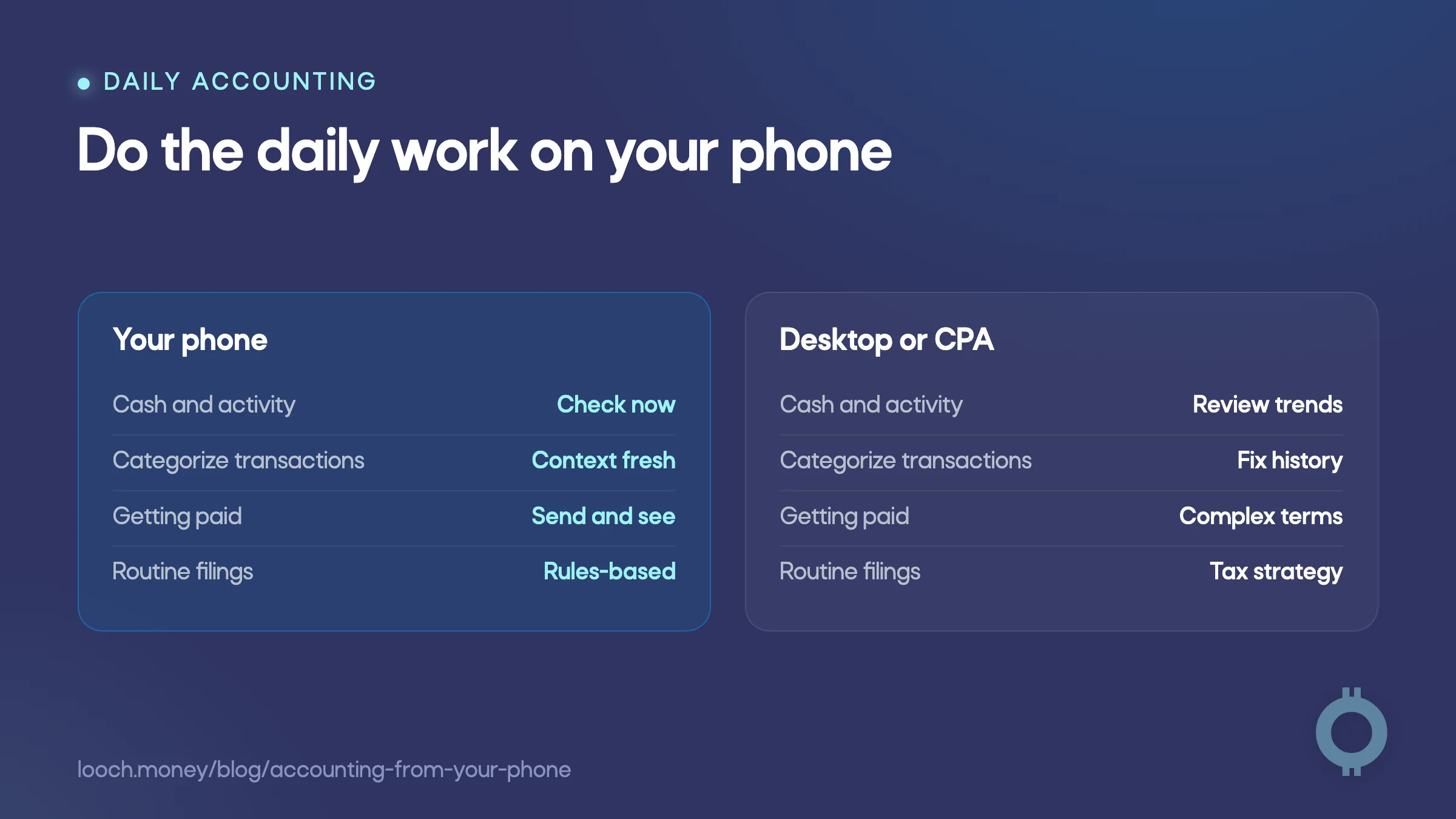
| Job | What accounting from your phone handles well | When another setup helps |
|---|---|---|
| Cash visibility | Checking balances and recent activity before making a decision | Reviewing broader financial trends or planning scenarios |
| Transaction categorization | Tagging income and expenses while the context’s still fresh | Repairing a long history of missing or incorrect records |
| Getting paid | Sending a request and seeing when money arrives | Managing unusual payment arrangements or detailed contract terms |
| Routine filings | Completing repetitive, rules-based tasks with automation | Handling tax strategy or filings with unusual facts |
The pattern’s simple: Frequent, rules-based, time-sensitive work belongs on your phone. It’s where a mobile workflow can genuinely make the business easier to run.
A phone does not replace a CPA or a desktop
Mobile bookkeeping has limits, and pretending otherwise helps no one.
Complex tax work still calls for a CPA. That includes situations with unusual entity structures, work across multiple jurisdictions, or decisions that depend on tax strategy rather than clean records. A phone can help you stay organized for that conversation. It can’t replace professional judgment.
Audits, serious disputes, and messy historical cleanup also benefit from a larger screen and a complete document trail. Those aren’t daily operating tasks. They’re exceptions that deserve more room, more context, and sometimes outside help.
If you’re deciding whether to bring in help, read our guide to whether you need a bookkeeper. The useful division of labor’s clear: Keep the daily records clean yourself, then use expert time for the decisions that require expertise.
Do the frequent work on your phone. Reserve the desk for the rare, complicated work.
looch makes the money and the books part of one system
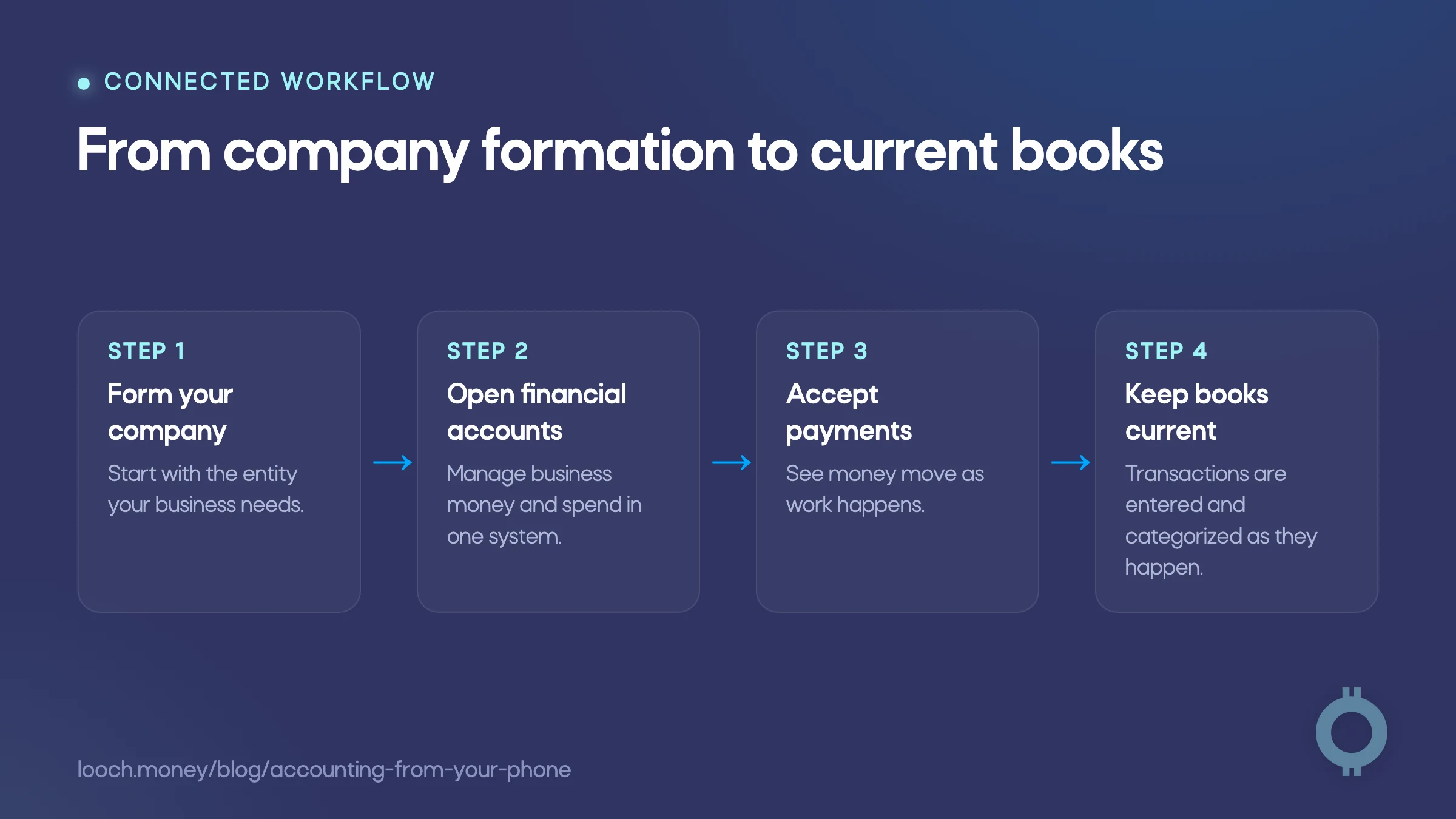
Most finance tools ask a founder to stitch together accounts, cards, payments, and accounting. looch takes a different approach. The activity that runs through the business is already part of the accounting picture.
You can start your company with looch Start, then get no-fee business accounts, issue Smartcards, accept payments, and manage the books from the same mobile-first system. That matters because the accounting doesn’t begin after the money has moved. Transactions are entered and categorized as they happen, so the books reflect the business in front of you rather than a cleanup project waiting at month end.
That’s a meaningful difference from a banking-only or accounting-only tool. Our comparison of all-in-one financial platforms looks at how different providers cover the practical jobs a new business needs handled. Some tools may be a better fit for a founder who already has an established accounting stack or needs deeper desktop reporting. looch’s built for the founder who wants formation, accounts, spend, payments, and accounting to work together from the beginning.
For routine tax work, looch offers SI-powered 1099 calculation and filing at $2 per filing, directly in the app. It’s a practical way to handle a repetitive task without making a desktop the center of the workflow. It doesn’t replace a CPA for complex tax work, and it’s not meant to.
See the looch homepage for the full product picture, or visit pricing for current product details.
The best mobile workflow keeps the hard work small
Can you do your own accounting from your phone? For daily bookkeeping, getting paid, seeing cash, and routine filings, yes.
The goal is not to prove that a phone can do everything. The goal’s to keep records current while the work’s easy, so the moments that need a desktop or a professional arrive with less confusion and less cleanup. Start with looch Start, and build a business where the books keep up from day one.


