


Corporate cards that keep you in control.
Issue virtual and physical Smartcards in seconds. Set the limits, enforce your expense policy, and watch every charge enter itself.


- Virtual & physical cards
- Daily & monthly limits
- Auto-entered to your ledger
- Apple Pay & Google Pay
Three taps from issue to entered.
Create a virtual Smartcard for any teammate or business purpose in seconds, or order a physical card.
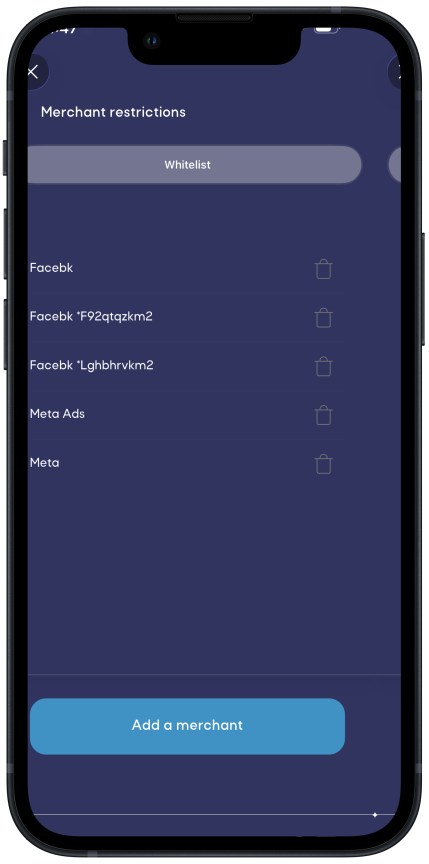
Daily, monthly, and all-time limits, weekday-only spending, merchant and category rules, and auto-cancel dates.
Every charge is tagged and categorized the moment it posts. Entered, without the busywork. No reconciling.
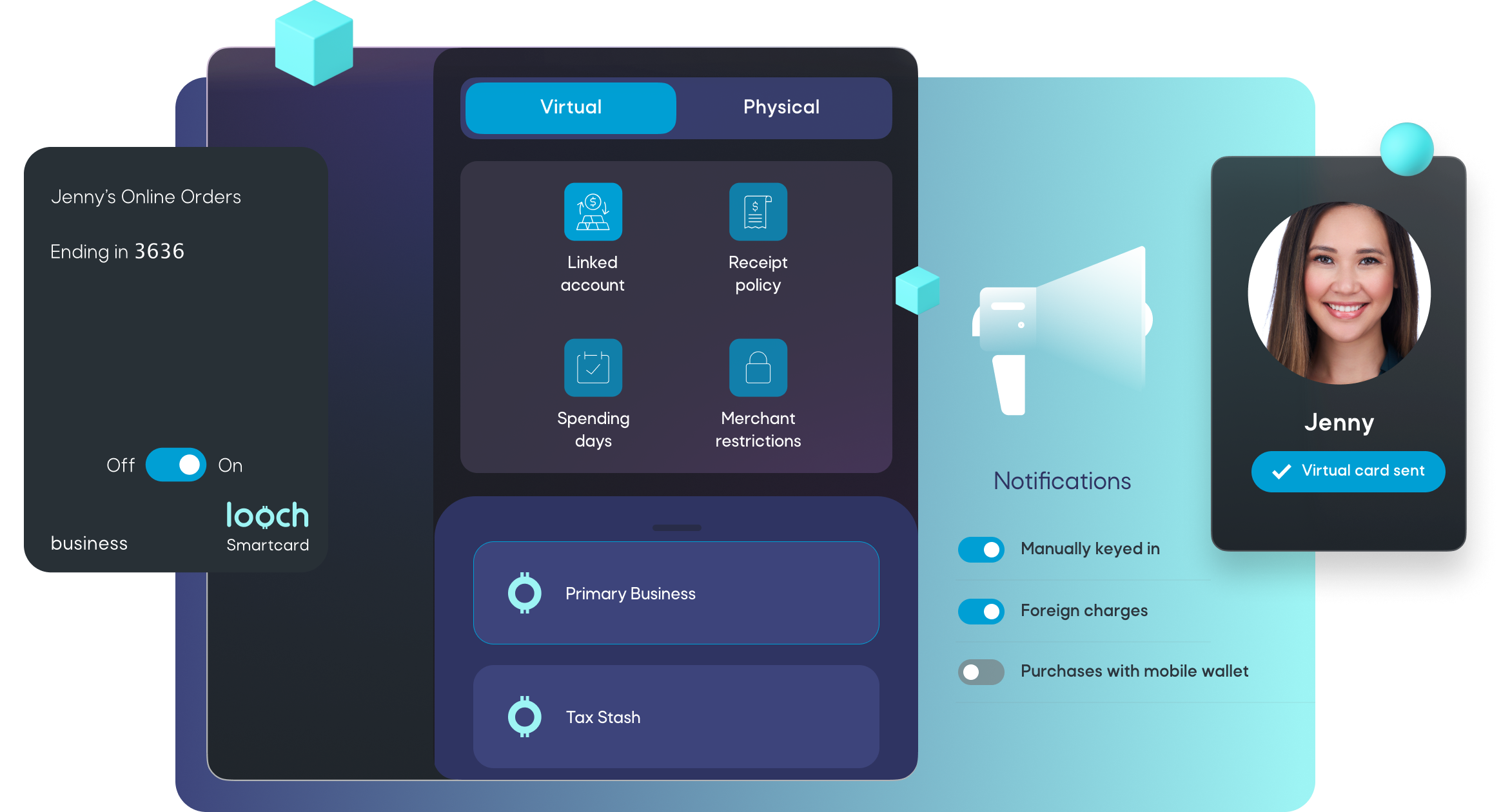
Controls, down to the last detail.
Tune categories, restrict merchants, and dial in the rest, right from the app.
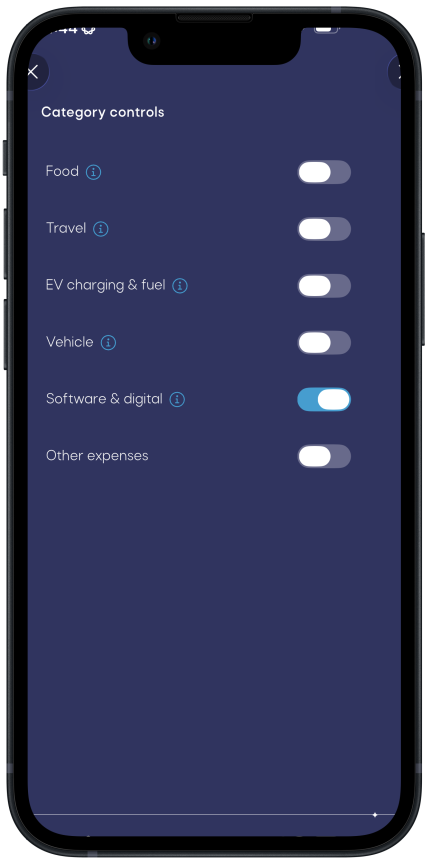
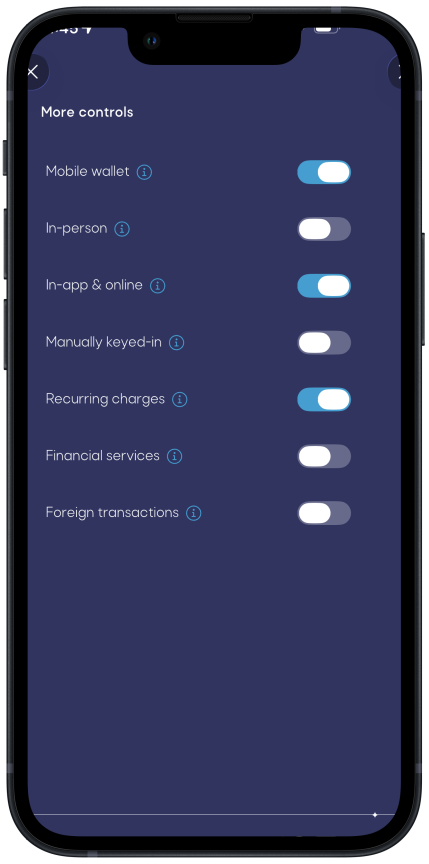
Everything a corporate card should be.
Commercial-grade cards, with the controls and accounting baked in. No personal spending, no surprises.
Commercial Visa cards accepted by every merchant and built for business spending, not personal.
Rent a car with confidence. Smartcards are recognized as commercial credit cards and include Auto Rental Collision Damage Waiver.
Add Smartcards to Apple Pay and Google Pay to spend in person or online, get notified on wallet use, or block it entirely.
Auto-lock a card on a missing receipt, memo, or category, and auto-enter categories for faster bookkeeping.
Switch the linked financial account whenever you like, or link a Smartcard to your Tax Stash account to remit taxes.
Smartcard charges are tagged automatically, so you can bill clients for out-of-pocket expenses with a tap.
Smartcard questions
You can learn more about Smartcards on Visa's website.
• Daily, monthly, and all-time spending limits
• Switch the linked financial account at any time
• Weekday-only spending
• Auto-cancelation date
• Auto-locking for expense policy violations like missing receipt, memo, or category
• Auto-enter categories for faster bookkeeping
• Merchant whitelists or blacklists
• Category controls
• Expense type controls
For the full list of Smartcard benefits, visit Visa's website.
Cash is typically for personal expenses. Using business cash for personal expenses leads to messy accounting. We recommend transferring funds to your personal external account and withdrawing cash using that account's debit card. looch will properly categorize the transfer based on your entity type and tax treatment. This way, you can spend your cash while keeping your books clean.
If you must accept cash as a payment method, deposit it into an accounting-enrolled external account.